NPM Repository
The VisuallyJs packages are hosted in two places:
- In the public NPM repository (https://registry.npmjs.org) there is a watermarked version of each package which can be used for evaluation and for users who satisfy the conditions of non-commercial usage.
- For licensees, the packages are hosted in our private VisuallyJs NPM repository. This repository is available to all licensees who currently have access to download new releases.
Repository URL
Note the trailing slash on the repository location: this must be included.
https://repository.visuallyjs.com/visuallyjs/
Logon
To login to the VisuallyJs NPM repository you use your licensee ID:
npm adduser --registry=https://repository.visuallyjs.com/visuallyjs/
...
Username:  <licensee id>
Password: <...>
Your password will have been supplied in an email from VisuallyJs.
.npmrc Setup
You'll need to map the @visuallyjs scope to VisuallyJs's NPM repository. For that, ensure your .npmrc has this entry:
@visuallyjs:registry=https://repository.visuallyjs.com/visuallyjs/
Tokens
Running the npm adduser command to login to the NPM repository will result in an authToken being written to your local .npmrc. For licensees, the number of active tokens is determined relative to the number of developer seats purchased: for single seat licensees, one token is supported. For holders of a small team (1-5 developers) license, 6 concurrent tokens are supported. For holders of a team (1-10 developers) license, 12 concurrent tokens are supported. The extra token(s) are intended to help if you have a machine that runs automated builds or some such setup. For holders of an unlimited seats developer license, unlimited NPM tokens are supported.
Repository Availability
Whilst every effort is made to ensure the repository is available at all times, VisuallyJs enters into no Service Level Agreement with licensees as to the availability of the NPM repository. It is recommended that all licensees download the VisuallyJs packages from our Downloads Page.
JFrog Setup
You can configure the VisuallyJs NPM repository as a remote repository in JFrog.
The steps you need to follow are:
-
Generate a token
Generate a token on the VisuallyJs NPM repository using the Logon instructions above. The token is written to your .npmrc file in this format:
//repository.visuallyjs.com/visuallyjs/:_authToken=89efb562-f762-adb1-fefe-9834fe32
-
Configure remote repository in JFrog
- URL: https://repository.visuallyjs.com/visuallyjs
- User Name: (your licensee ID)
- Password/Access Token: 89efb562-f762-adb1-fefe-9834fe32 (in this example - its the token shown from the .npmrc above)
- Enable Token Authentication: checked
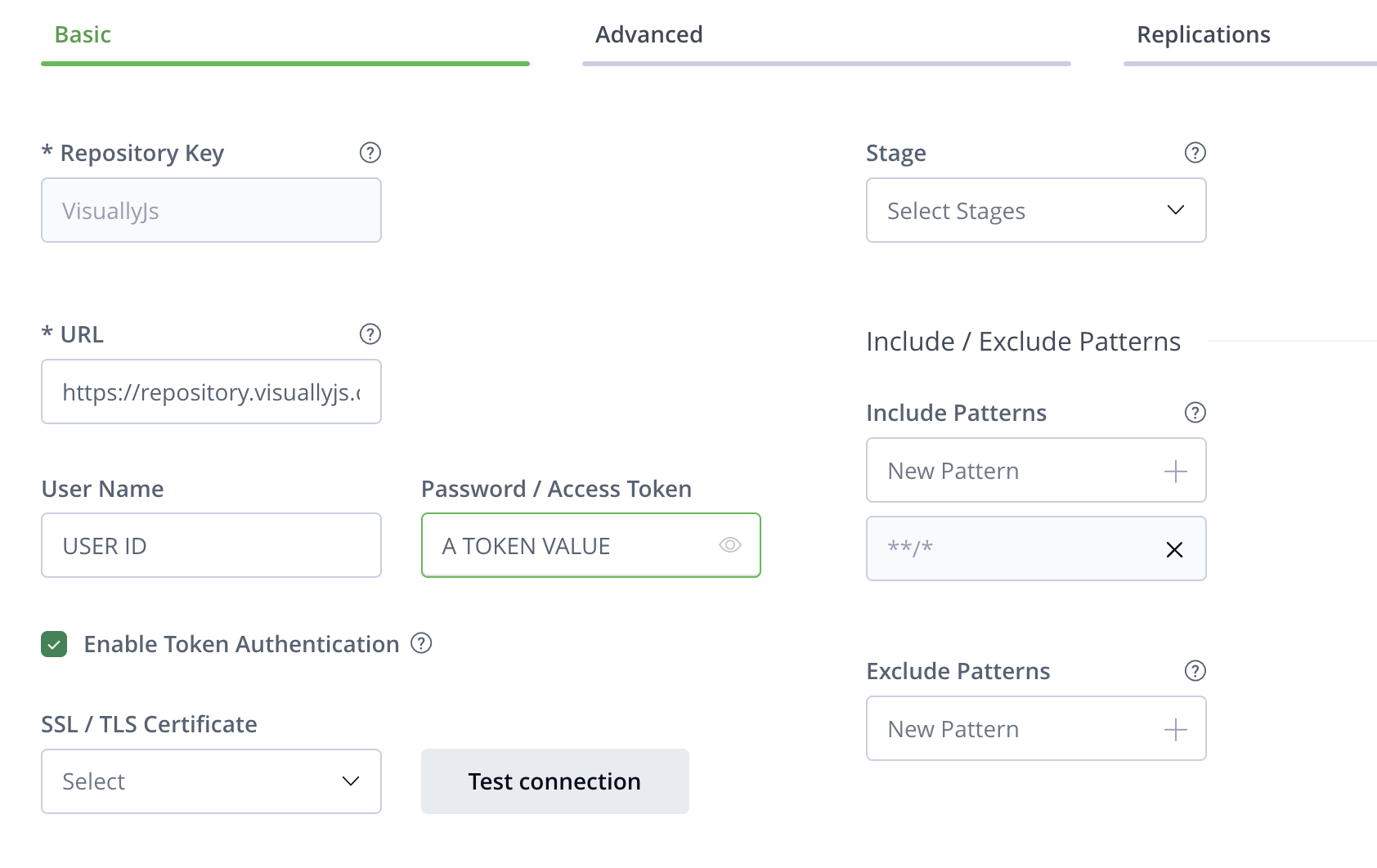
You only need to configure one token on the VisuallyJs NPM repository in order to configure JFrog: the token you create will be used by JFrog for all access to our NPM repository
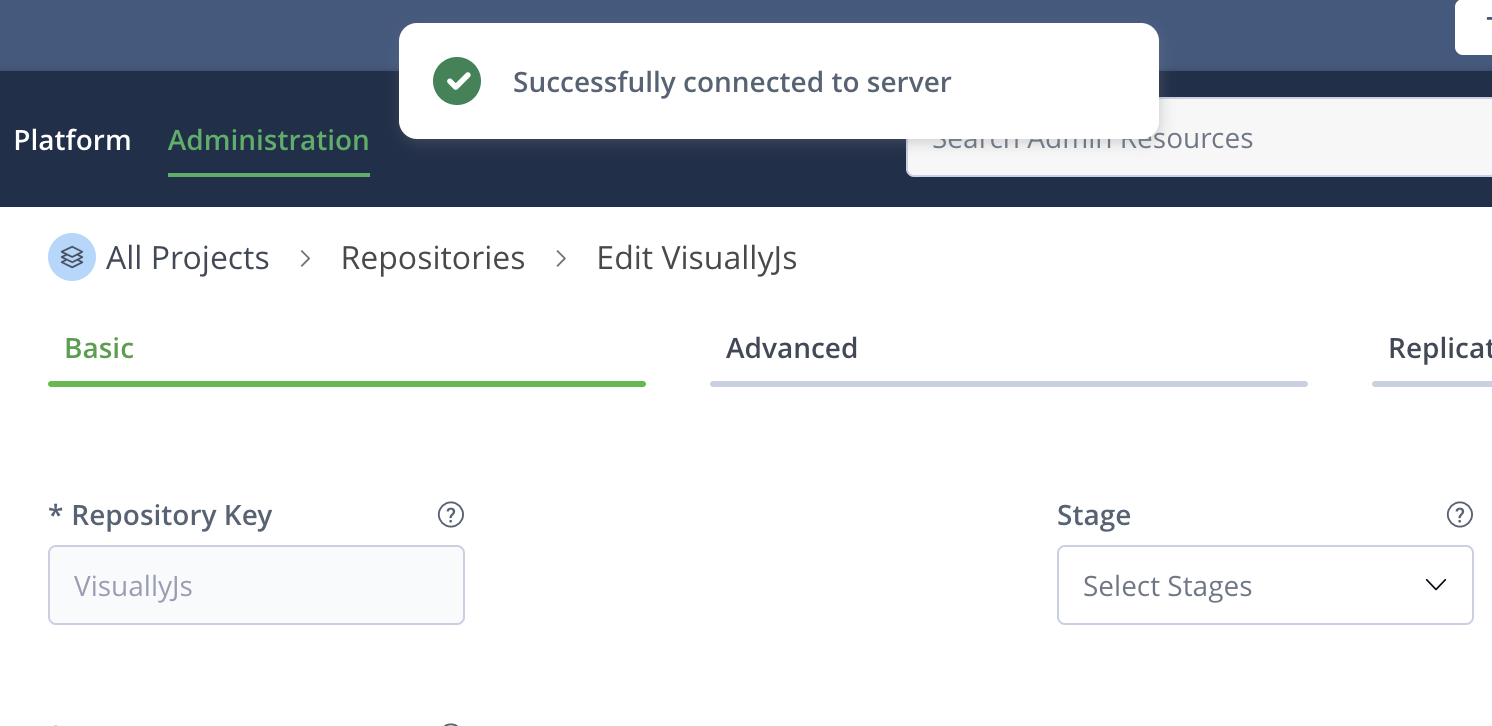
When you click the 'Test Connection' button you should see a dialog confirming a successful connection:
-
Get client config instructions
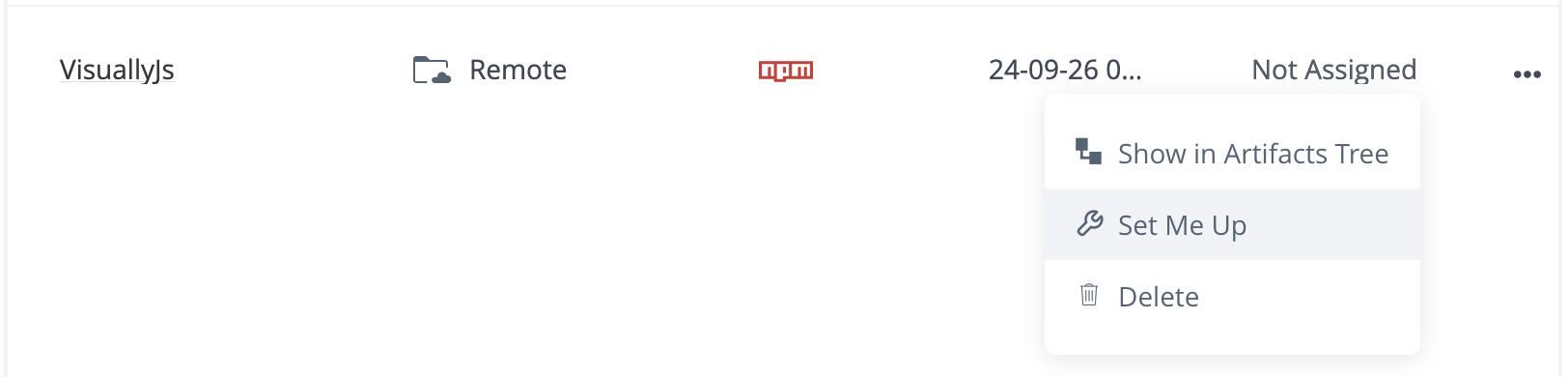
Click on the three dots at the far end of the line containing the repository information to access the instructions on how to configure your client to use JFrog:
-
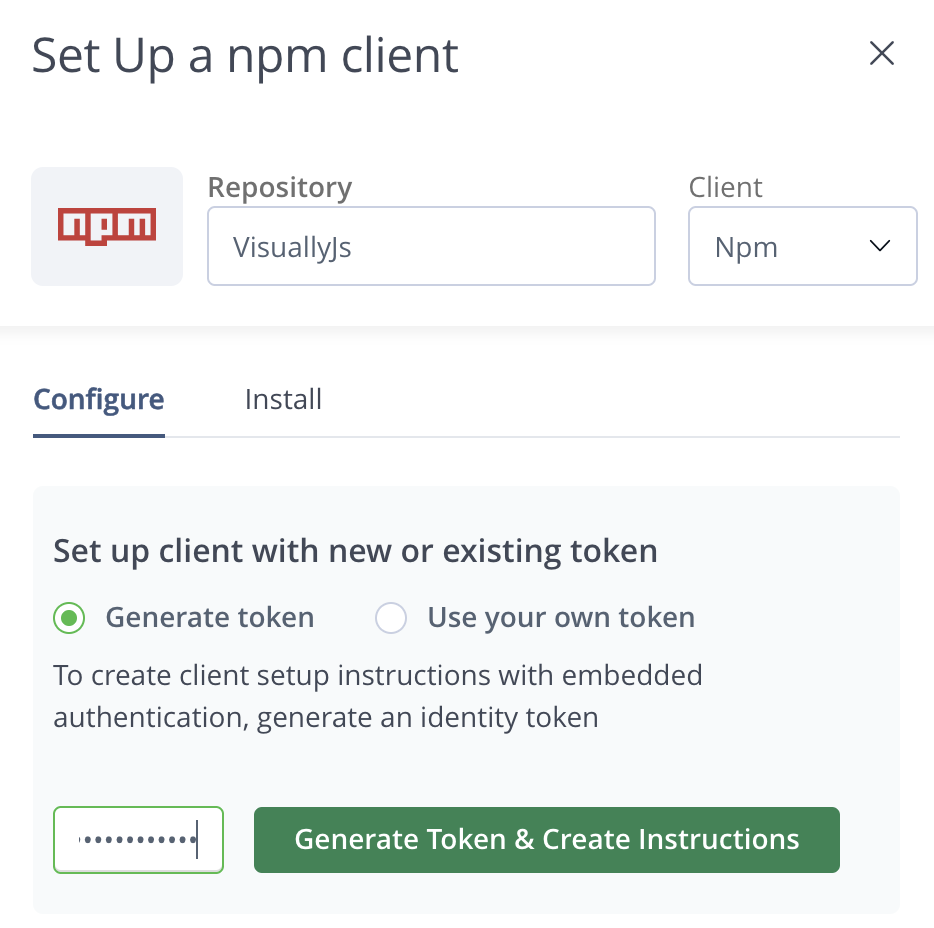
Generate a token (on JFrog)
This token is stored on JFrog and is per-user. You will need to store this token locally.
-
Get .npmrc instructions
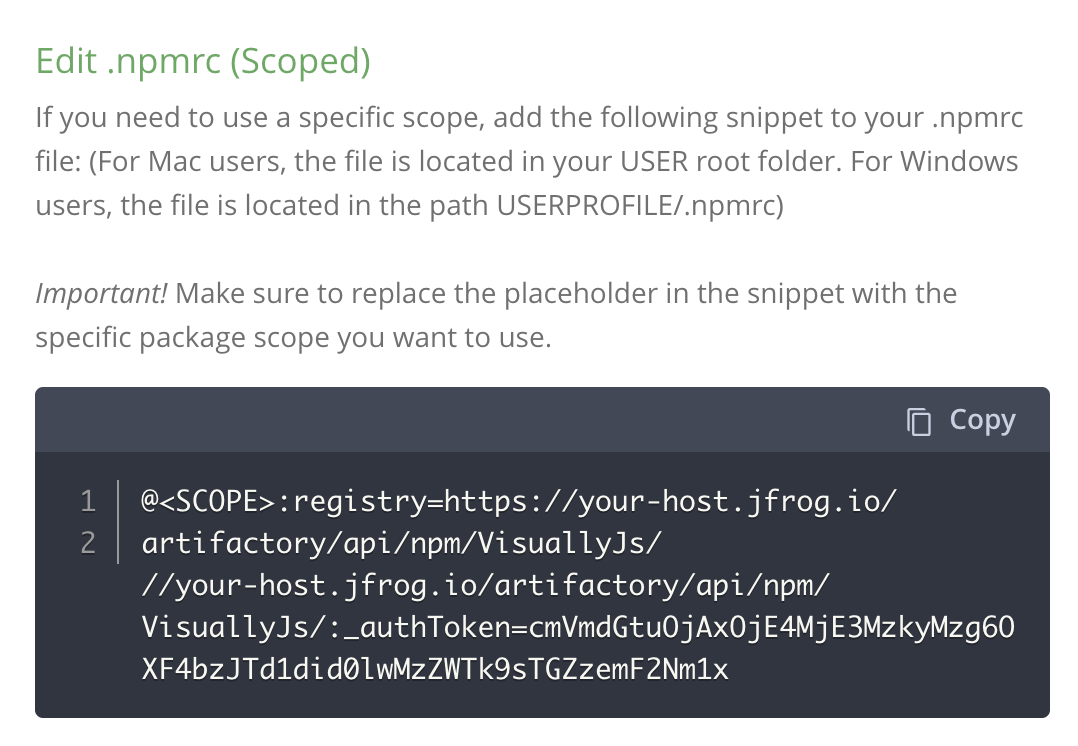
Once the token has been created, scroll down to the Edit .npmrc (scoped) section. VisuallyJs is a scoped NPM package.
-
Edit your .npmrc
Lastly, edit your .npmrc to include the instructions JFrog supplied - the url to the registry to use, and the JFrog auth token:
@visuallyjs:registry=https://your-host.jfrog.io/artifactory/api/npm/VisuallyJs/

//your-host.jfrog.io/artifactory/api/npm/VisuallyJs/:_authToken=cmVmdGtuOjAxOjE4MjE3Mzg4OTM6R1Z5R292SFJaNHR6ckFWaVN1ZjAxT1BlOHpv