I want my MCP
Integrating an MCP server directly into your development workflow provides a powerful bridge between your IDE and the library documentation you rely on, eliminating the friction of context-switching between your editor and a browser and leading to more accurate, idiomatic implementations and a significantly smoother coding experience.
We are pleased to announce that VisuallyJs now offers an MCP for each of our library integrations. It's so useful that we're actually using it ourselves, both when developing new features and when working on our ever-increasing set of demonstrations and starter apps.
Setup
We provide an MCP server for each of our library integrations, as well as a server that covers every integration.
| Package | Library | Command |
|---|---|---|
@visuallyjs/browser-ui-angular-mcp | Angular | npx @visuallyjs/browser-ui-angular-mcp |
@visuallyjs/browser-ui-react-mcp | React | npx @visuallyjs/browser-ui-react-mcp |
@visuallyjs/browser-ui-svelte-mcp | Svelte | npx @visuallyjs/browser-ui-svelte-mcp |
@visuallyjs/browser-ui-vue-mcp | Vue | npx @visuallyjs/browser-ui-vue-mcp |
@visuallyjs/browser-ui-vanilla-mcp | Vanilla JS | npx @visuallyjs/browser-ui-vanilla-mcp |
@visuallyjs/browser-ui-mcp | All (Angular, React, Svelte, Vue, Vanilla) | npx @visuallyjs/browser-ui-mcp |
These are published in the public NPM repository, and, for licensees, our private NPM repository.
If you've done this sort of thing before, the commands listed above will be enough to get you going. To read more about setting up MCP with your library, follow one of these links:
Available tools
Each library-specific package provides tools with unique suffixes, allowing them to coexist in a flat namespace if multiple servers are connected simultaneously. Tools are named following the pattern search_vjs_LIB> for general documentation and search_vjs_LIB_api for API-specific documentation.
For instance, for React, the tools are:
search_vjs_react: Search VisuallyJs React documentation.search_vjs_react_api: Search VisuallyJs React API documentation
The other library suffixes are vue, svelte, vanilla and, for Angular, ng.
Examples
You can use the MCP to search all of the publically available docs and apidocs. At VisuallyJs we use IntelliJ's Junie or AI Chat - here's a selection of questions and responses showing the MCP in action.
Zoom-specific content
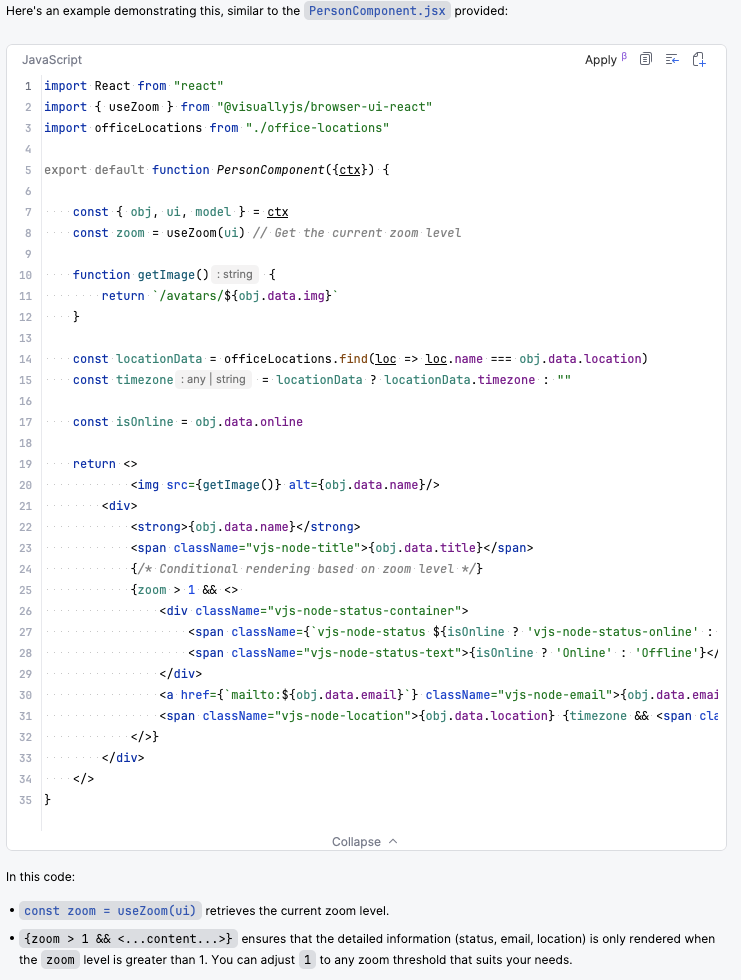
We asked our React MCP how to hide/show content based on zoom, and received this summary:
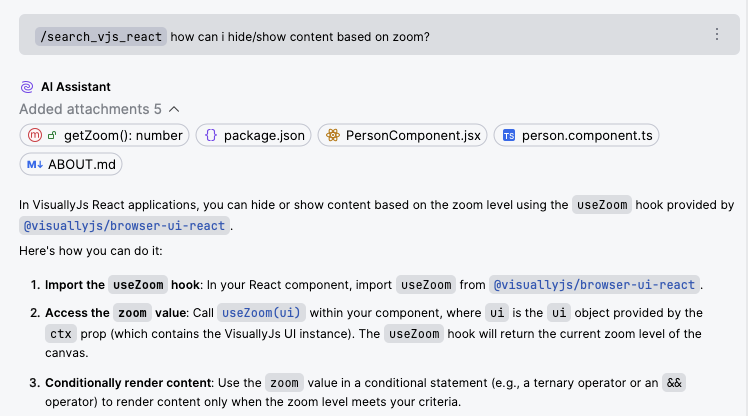
followed by this code snippet:
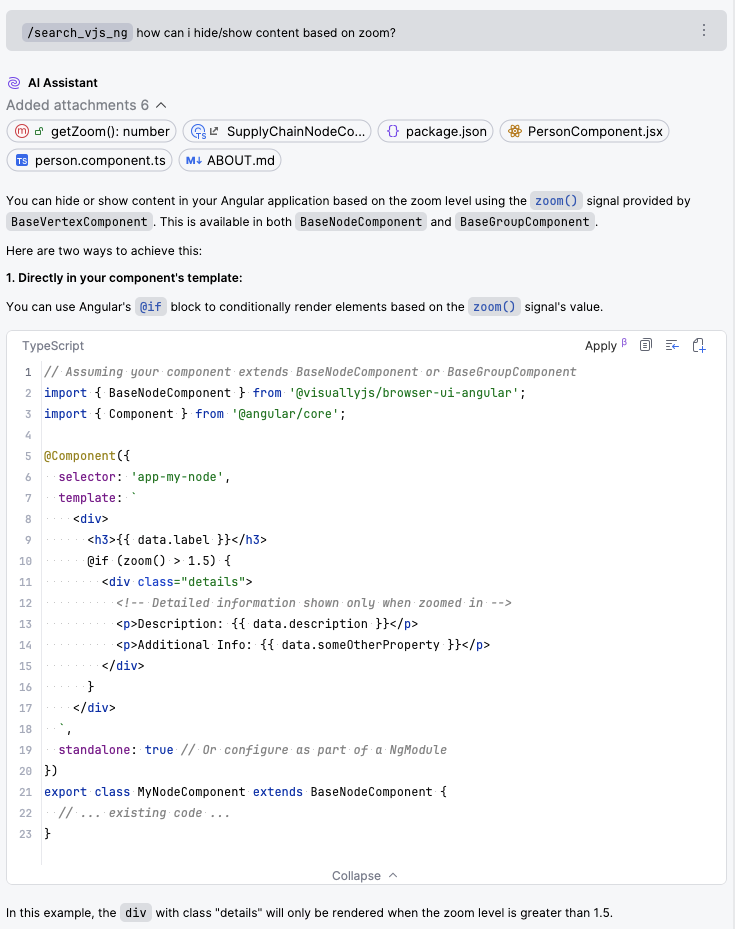
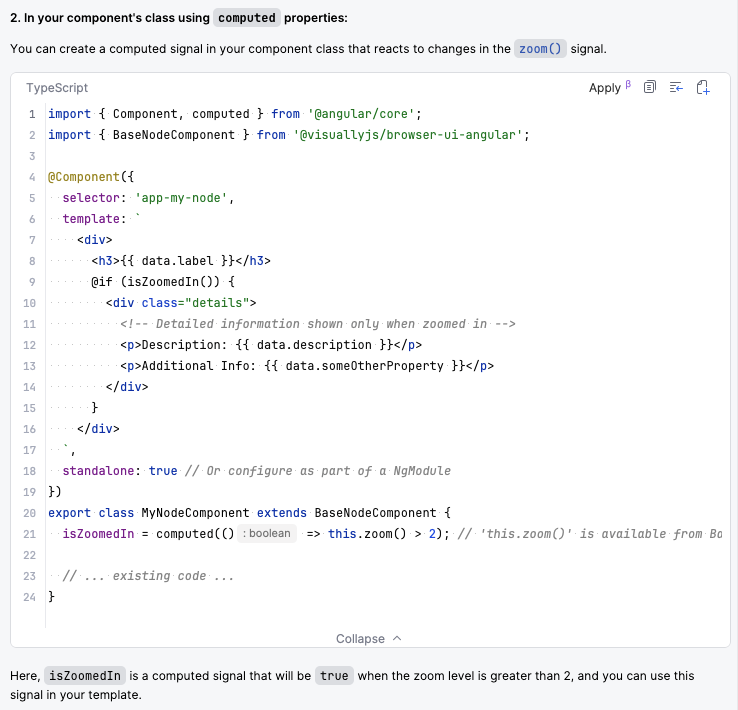
We can ask the same question in Angular:
List available anchors
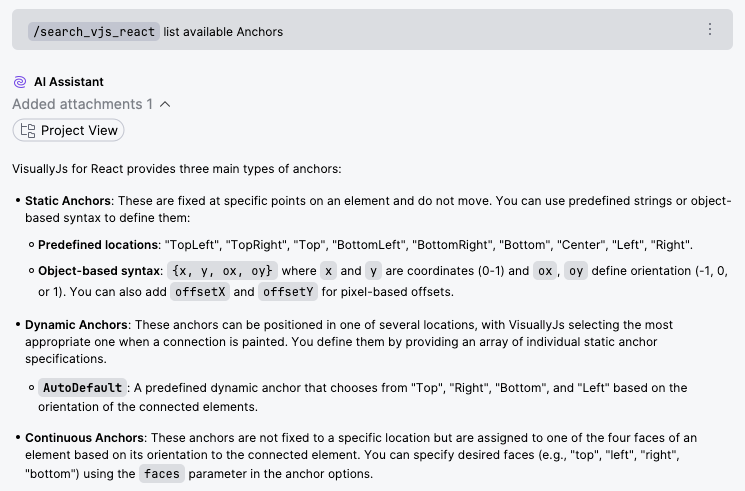
Each of the library integrations has a dependency on @visuallyjs/browser-ui, which contains the core UI concepts. You can search through these - for instance, here, we're asking the React MCP about what anchor types are available:
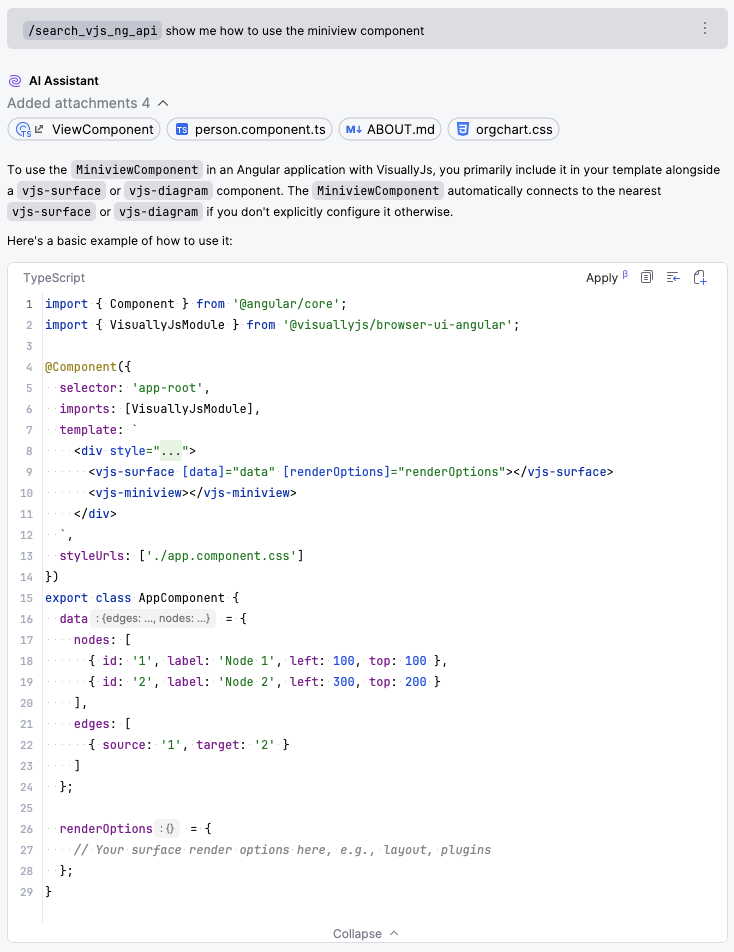
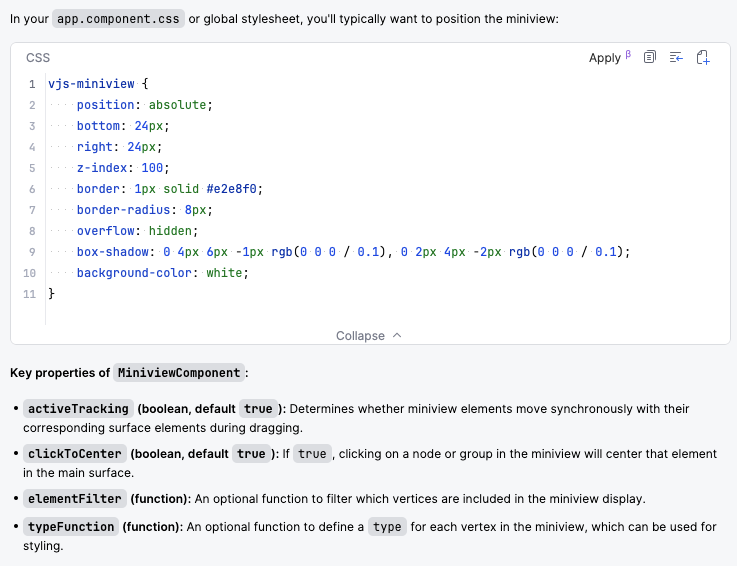
Setup an Angular miniview
Feedback
We'd be very interested to hear any feedback you may have regarding our MCP servers - head over to our contact page to find out how to get in touch.
Try VisuallyJs
VisuallyJs offers an extensive list of starter apps, diagrams, charts and dashboards to quick start your development, in React, Angular, Vue, Svelte and Typescript/Javascript.