Drop images here · Connect matching ports · Select a node to edit
Loading example…
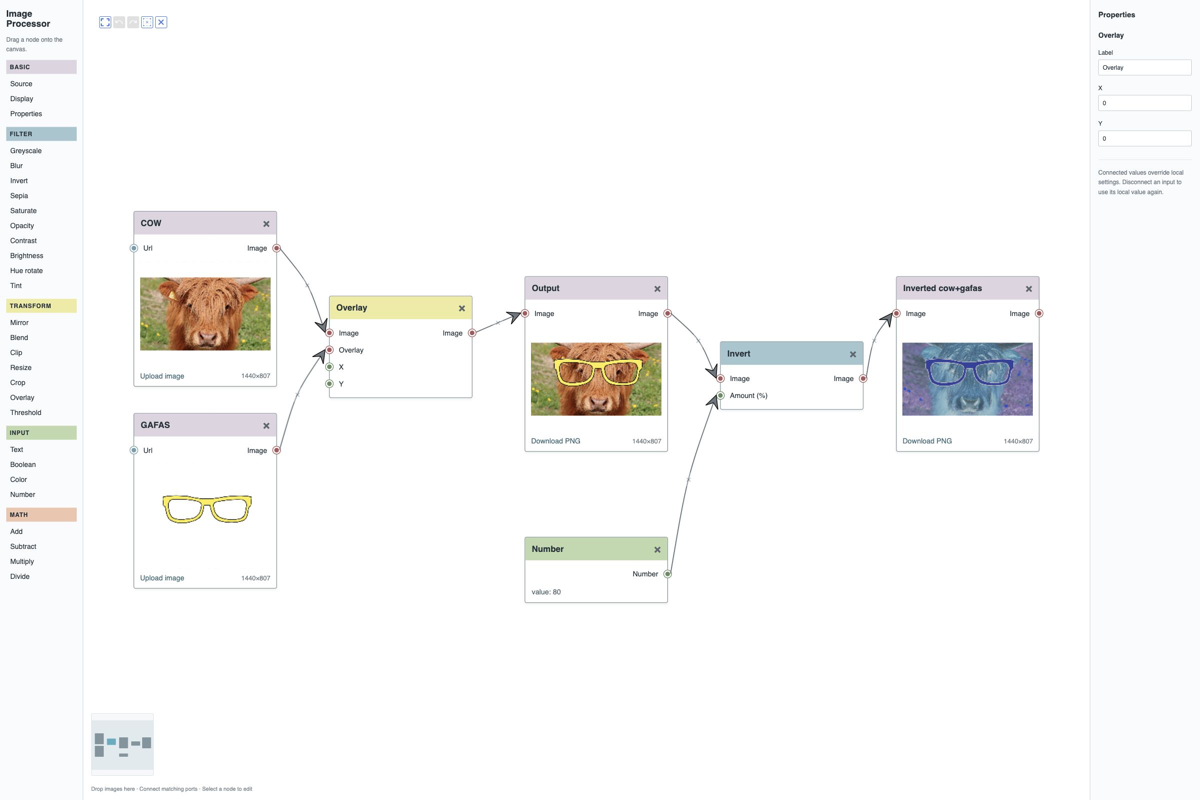
Use VisuallyJs to build a visual image-processing pipeline with resize, crop, rotate, blur and colour adjustments
Grab the source code from Github and start working on your new app right now!
npx degit [email protected]:visuallyjs-vanilla/image-processor image-processor
npx degit [email protected]:visuallyjs-react/image-processor image-processor
npx degit [email protected]:visuallyjs-angular/image-processor image-processor
npx degit [email protected]:visuallyjs-vue/image-processor image-processor
npx degit [email protected]:visuallyjs-svelte/image-processor image-processor
An image-processing pipeline is a sequence of connected operations that transform an image. A visual pipeline builder lets users combine operations such as resizing, cropping, rotating, blurring and adjusting colours, and inspect individual nodes to manage processing.
VisuallyJs provides the interactive canvas for building and editing these pipelines. Users can drag processing nodes onto the canvas, connect them to define the pipeline and edit their properties. Pan and zoom, automatic layout, undo/redo and a property inspector help users manage their workflows as they grow.
Build an image-processing pipeline editor with VisuallyJs's Angular integration. The Angular Image Processor starter app provides a starting point for combining a visual pipeline with Angular components for processing controls and node inspection.
Use VisuallyJs's React integration to connect a pipeline canvas with your React interface. The React Image Processor starter app shows how to bring image-processing nodes, connections and property editing together in a React application.
Create a visual image-processing workflow with VisuallyJs's Vue integration. Start with the Vue Image Processor starter app and use Vue components to build the controls and inspection interface around your pipeline.
VisuallyJs's Svelte integration lets you combine an interactive pipeline with Svelte components for editing processing options. The Svelte Image Processor starter app provides a foundation for building and inspecting image-processing workflows in Svelte.
Build an image-processing pipeline directly with VisuallyJs's vanilla JavaScript integration. The Vanilla JavaScript Image Processor starter app provides a starting point for connecting processing nodes and adding controls to inspect and configure each operation.

We can build your app for you - in React, Angular, Svelte, Vue or Javascript/Typescript. Our team has 17 years of experience building visualisations and interactive UIs across a wide range of industries. Read more about what we can offer here, or click here to fill out a quick form detailing what you need, and we'll be in touch.
Chances are we've got something you can use to get you started. Don't see what you need? Contact us! We're always looking to expand our list of apps and feature demos.

Use VisuallyJs to build a visual Call Flow editor

Use VisuallyJs to create an advanced AI agent builder
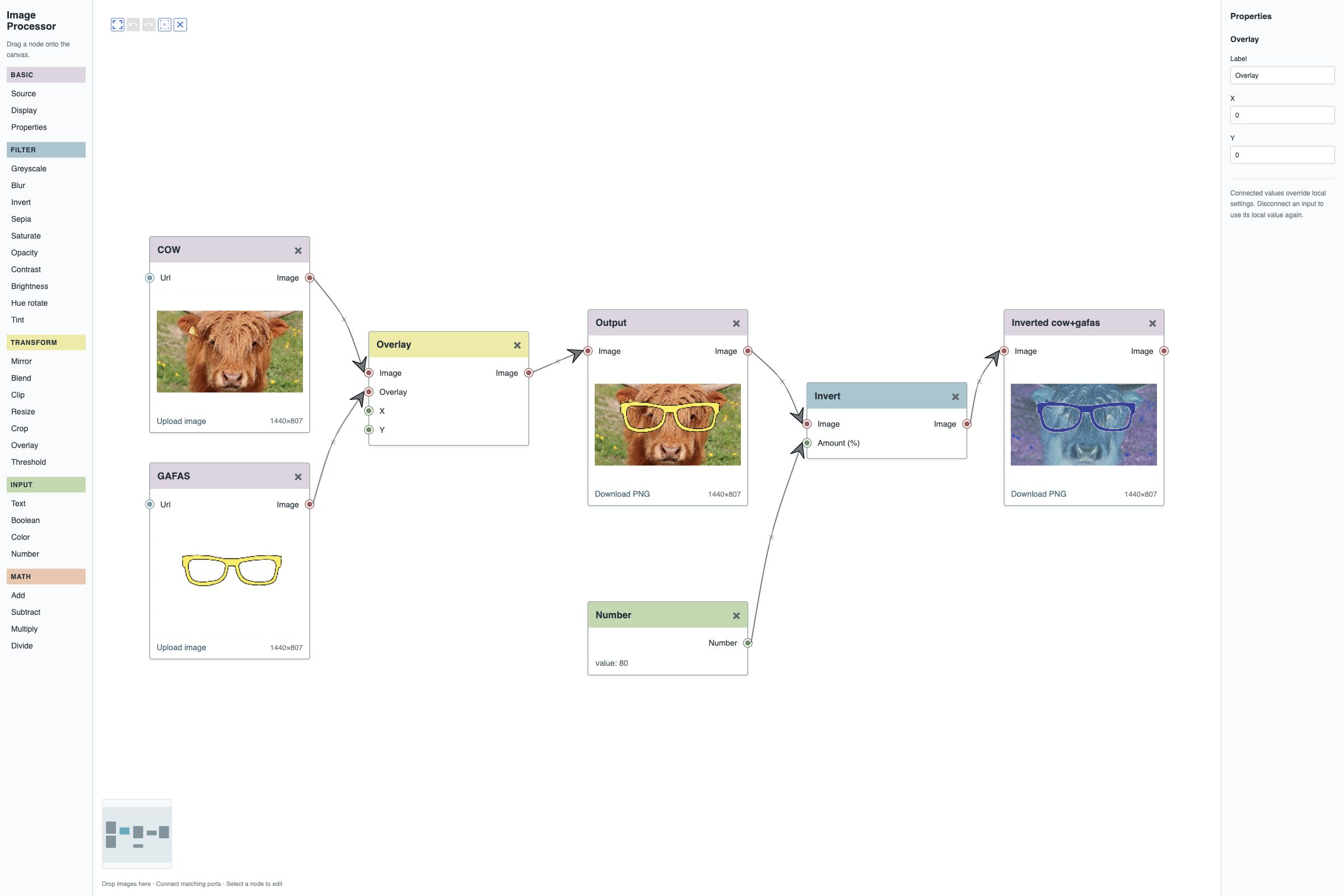
Use VisuallyJs to build a visual image-processing pipeline with resize, crop, rotate, blur and colour adjustments

Use VisuallyJs to build a Chatbot editor, with actions, messages, input and choices

Fully featured flowchart builder including support for custom shapes, edge routing to avoid vertices, shape resize/rotate, SVG/PNG/JPG export and more

BPMN editor for modelling the steps of a business process. Pools, lanes, and a full set of task, event and gateway types

ERD editor for modelling the steps of a business process

Interactive Gantt chart featuring tasks, task groups and milestones

Fully featured Kanban board. Drag items between columns and use the inspector to update items and columns

Database Schema builder with support for tables, views, multiple columns types, and column relationships

Uses the classic org chart layout and provides an inspector from which the user can navigate around

Fully featured starter app containing a circuit diagram builder
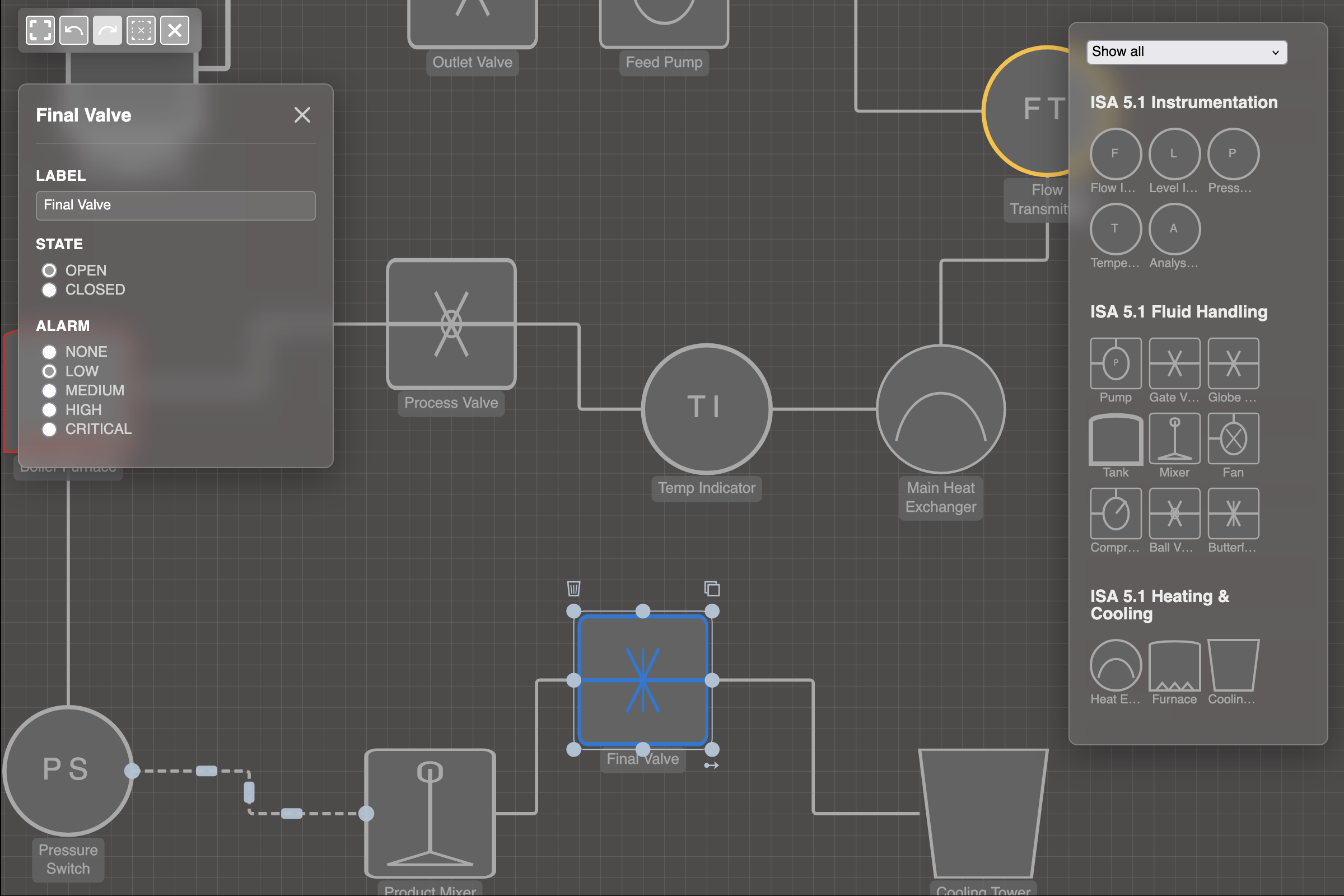
Professional and modern Scada/HMI application with fluid, heating/cooling & instrumentation shapes, adhering to the HMI ISA-101 Design Standard

The mindmap builder highlights several advanced features, such as custom layouts, parsers and exporters

Demonstrates how to include multiple views of a dataset on one page

Fully featured starter app containing a logic gates diagram builder

Basic starter app demonstrating how to setup VisuallyJs and its main features

Use VisuallyJs to create area and line charts

Multiple series, stacked, grouped, pivoted, and much more

Circle, rectangle, triangle or custom markers, multiple series, fully customizable

Use VisuallyJs to create a professional Sankey chart, with support for pivoting

Dashboard for managing and analyzing supply chains

Combine a network management diagram with charts showing projected cost and resource usage

Use the ListManager plugin to manage scrolling lists: as elements are scrolled out of the view, their edges are moved to the list container

A visualizer for the FIFA World cup - group stages, team journeys and a tournament view.

Combines a fault tree analysis diagram with charts showing risk and list of cut sets